SAP Anywhere Finance
How to Build a New Product From Scratch
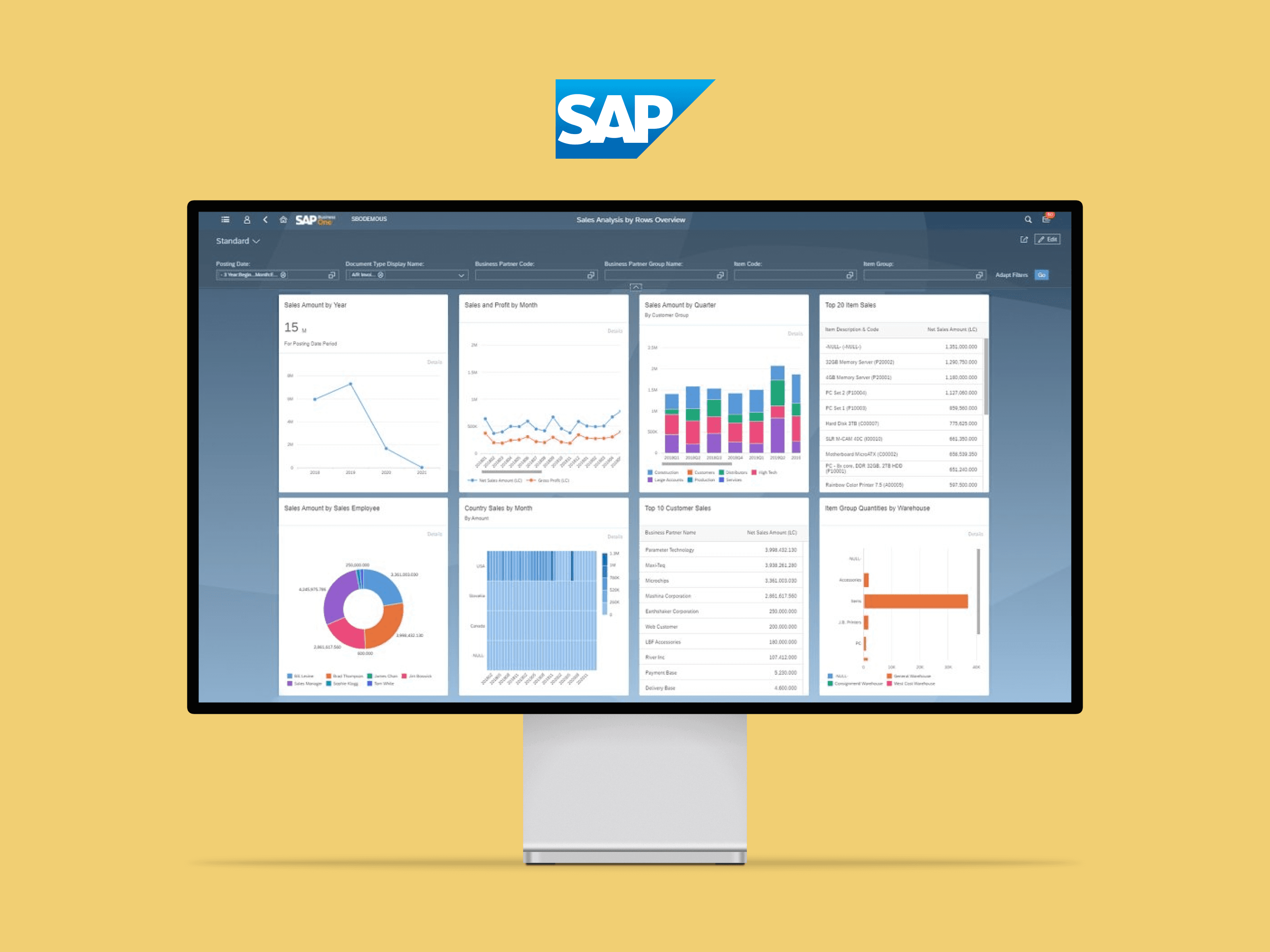
SAP Anywhere Finance SaaS provides a powerful yet simple SaaS solution to run key back-office operations including financial business processes in the cloud, to help global SMBs to grow and run Digital.
Company

Platform
Desktop
Industries
Finance
Timeline
Aug. 2015 - Mar. 2017

My Role
Led the team for a cloud solution for SME
Defined the design strategy and concepts of the product
Refined the design process and propagated design thinking methodology across the different teams
Mentored junior designers and managed the design project
Background
As a popular word SaaS, SAP didn't want to be outdated. It was seeking for the next generation cloud solution, SAP SME joined in this exploring. SAP Anywhere was a pure and light e-commercial cloud solution, and we tried to focus on the financial field this time. With the investment of the department, the management level built a new group to develop this new project.
Finance and Accounting are really hard to understand, before the project starting, I spent almost 2 months to study the domain knowledge of accounting in order to better understand our users. Meanwhile, SAP started to push Fiori design in the company, it was a tough task to balance the re-using and re-design. This was my first time to lead a team and started one project from zero. New team, new working model, new design system and unfamiliar domain.
Shape the Strategy
In order to deeply understand our competitors’ business model, target user, business scenarios, etc. I chose 4 market-dominated SaaS products, 2 of them focused on finance fields which served to small and medium business. 2 of them were entire ERP solutions. Following the Elements of User Experience, I made a competitive analysis through 5 levels: strategy, scope, structure, skeleton and surface.

Competitors
Our high level goals were moving to cloud solution, after this deep research, I shaped the design strategy with product and dev teams based on the Fiori design
Simplified user experience with SAP Fiori apps for both transaction and analytical tasks
Decomposed applications for each role with simple functions only for related tasks and report
Common UX design pattern with Fiori UIs provides one entry point for each user
Configurable role settings in both application level and field level to fit different customer sizes and different industries
Multiple predefined role based apps to cover the complete scope of financial eco-system
Shape the Design Process
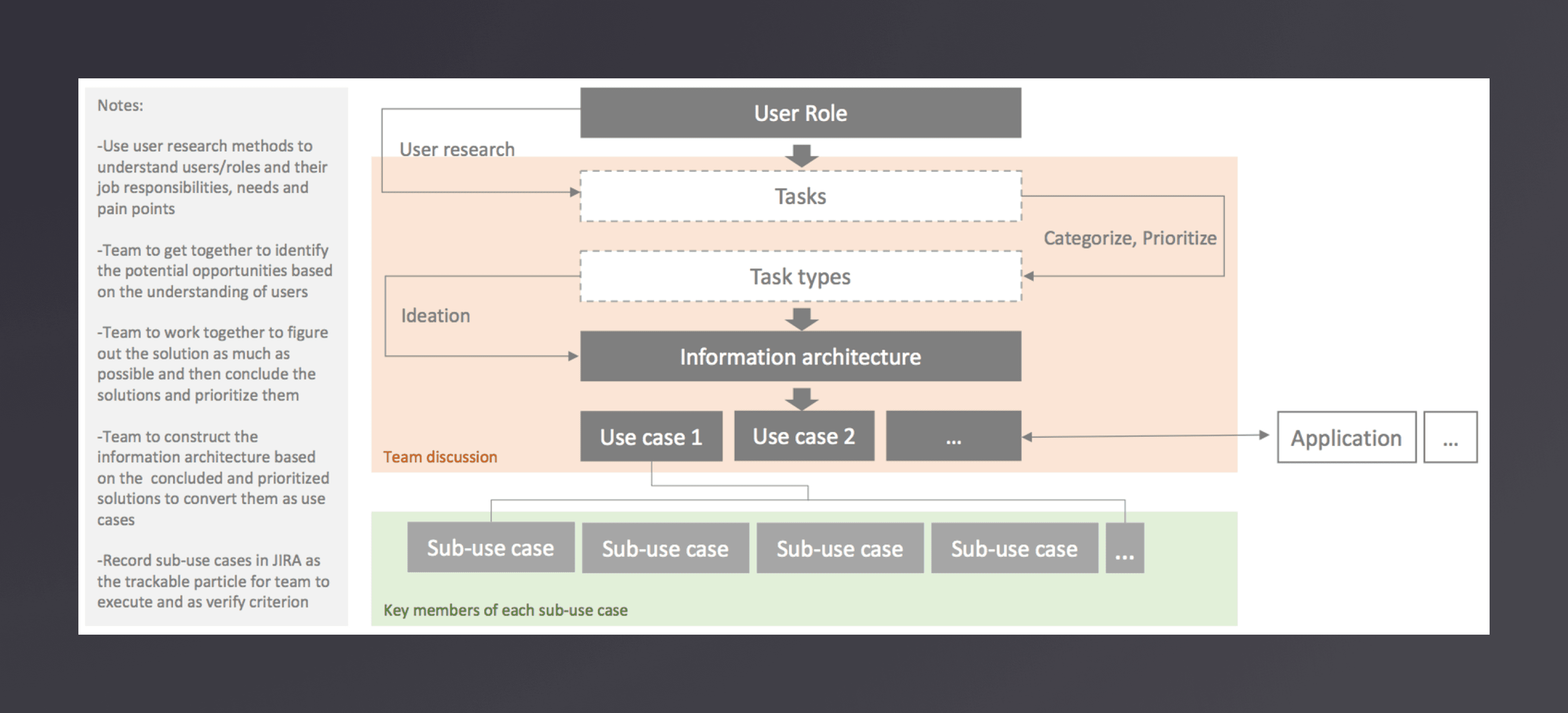
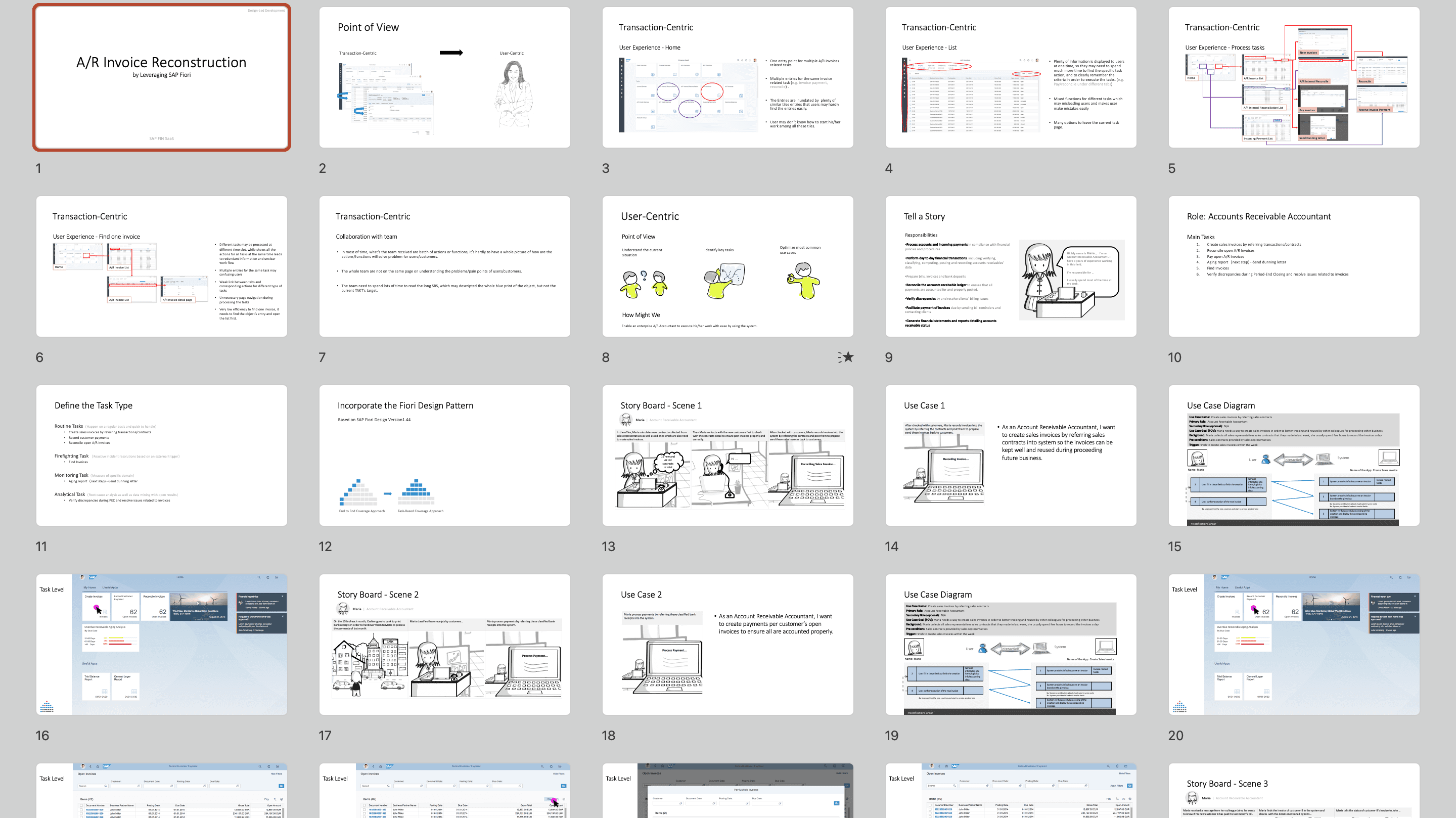
In our agile development. Cooperating with the product team and development team was a big challenge. To make everyone on the same page and use Jira to track everything. I tried to figure out a simple way to refine the requirement. To understand the business requirements of your end-user and to capture the problem, we focus on the discover part. So I refined the design process with the product team and development team. After I presenting this flow to the manager level, they buy-in my solution and help me to propel it in the department.
Design Process
Design Methodology
UX Role Guidance
The pyramid approach maps the business role and their respective tasks to a certain level of the pyramid, based on the nature of a task. A business role and a pyramid have a 1:1 relationship. The pyramid could be seen as an abstraction for each role.
On Level 1, the user starts with a single point of entry, which can be a corporate portal, an SAP Business Client, or just an icon on his desktop. For SAP Fiori, the recommended point of entry is the SAP Fiori launchpad home page. On the home page, the user normally gets a glimpse of the contextual information via the available tiles, but it mainly serves as an entry to the SAP world.
On Level 2, the user can get an overview on a special task or domain with already more contextual information than on the launchpad home page. If a user has several roles assigned, it might be the case that each role comes, for example, with an overview page that the user can access to get an overview of that domain. But also a list report could provide a good overview on a specific area, such as purchase orders, for example.
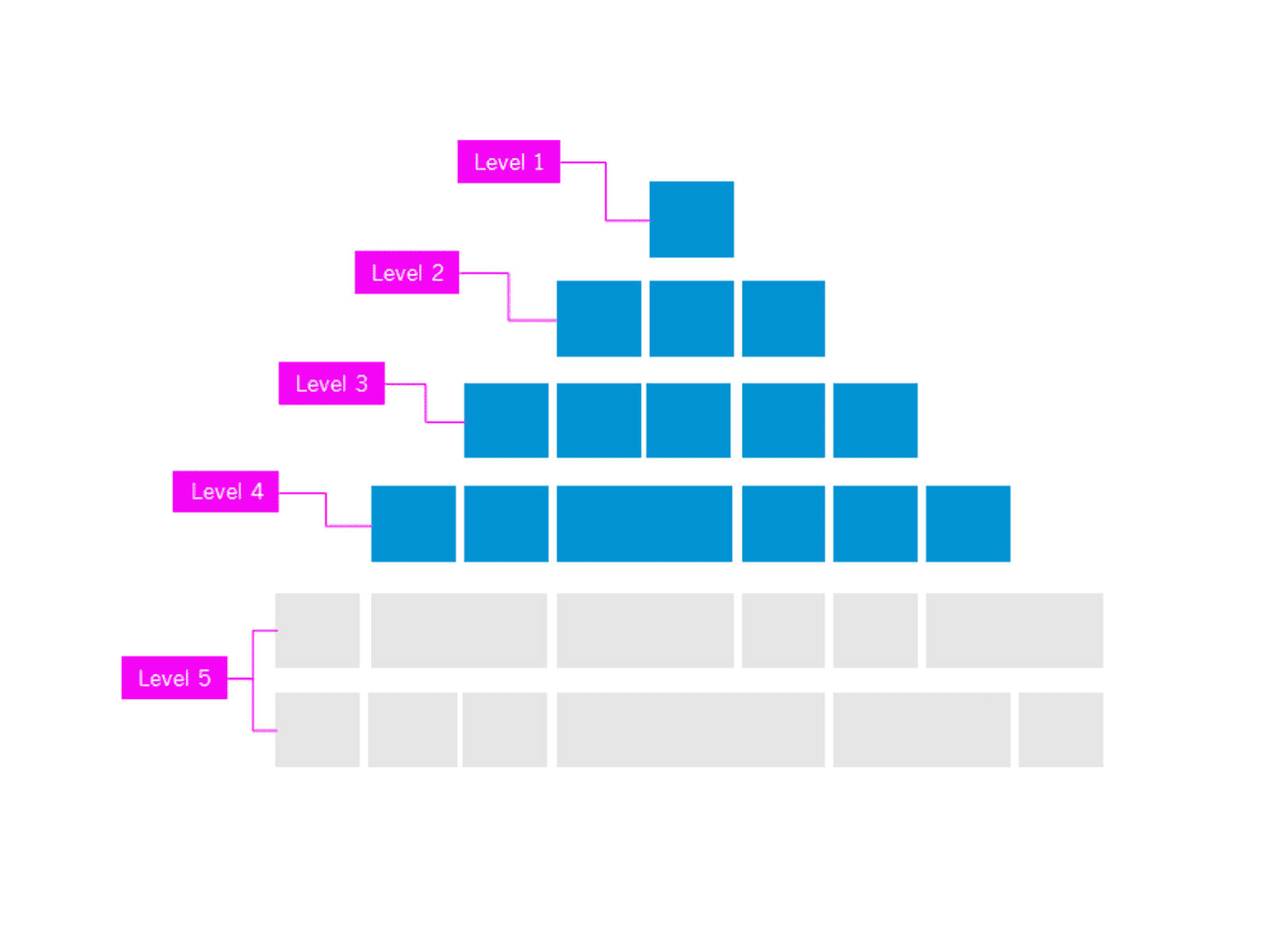
On Level 3, the user is already deep into his or her task and needs more details and information to complete the task. Here we typically talk about object pages, create and edit scenarios, and other “standard” activities.
Level 4 provides access to special apps for highly specialized experts. We call them expert tasks. These tasks are so complex that they would not fit into Level 1-3, but are still relevant enough for the user to offer them in SAP Fiori.
Level 5 provides access to all tasks and functions that are not SAP Fiori-enabled and that are considered lower priority, meaning that the user does not need to spend much time on this level.
UX Role Guidance
Small and medium business was different from large enterprise, their roles were more comprehensive. Under the structure of Fiori role book and customer visit, we shaped our role library and personas.
G/L Accountant
Fixed Asset Accountant
Account Receivable Accountant
Account Receivable Manager
Project Manager
Cashier Accountant
Account Payable Accountant
Account Payable Manager
Cash Manager
Financial Manager
Tasks Cluster
Once you’ve researched your user personas and their activities to determine the business role, we recommend clustering the resulting use cases into several task types. Each task type contains a set of practical tips to map it to the SAP Fiori Design Guidelines. We differentiate between five basic task types which have their own practical tips for a successful mapping into SAP Fiori.
Task Type
Description
Routing Task
Process-driven activities or exceptions that happen on a regular basis and are quick to handle.
Firefighting Task
Reactive incident resolutions (aka „firefighting“) based on an external trigger.
Monitoring Task
KPI, measure, or status-driven monitoring of the specific domain, as well as information absorption activities with open result.
Analytical Task
Root cause analysis as well as data mining with open results. Basis for strategic planning and forecasting activities.
Expert Task
Planning activities, complex exception-handling, as well as design and system configuration activities.
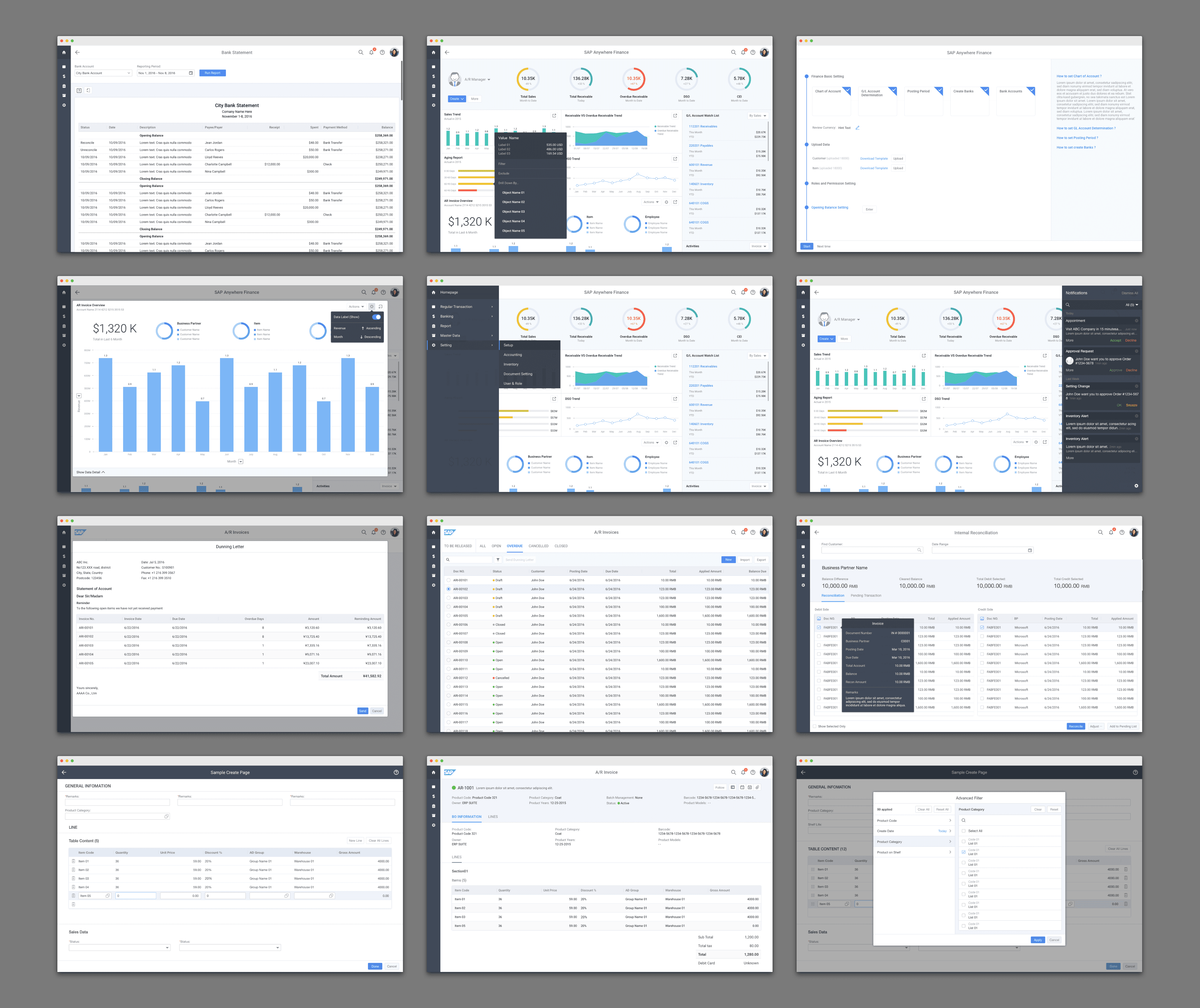
Design Output
A/R Invoice (Design-Led Development Process)
Key Screens