SAP Business One 10.0
How to Design for Major Release of an ERP Software
SAP Business One(B1) is business management software (ERP) designed for small and medium-sized enterprises(SME). As an ERP solution, it aims to automate key business functions in financials, operations, CRM, and human resources. It was initially released in April 2002. Until now, SAP B1 is the most successful SME ERP solution which had about 60,000 global customers.
Company

Platform
Desktop
Industries
ERP
Timeline
Apr. 2017 - Aug. 2019
My Role
Led the team for a cloud solution for SME. Defined the design strategy and concepts of the product
Refined the design process and propagated design thinking methodology across the different teams
Mentored junior designers and managed the design project
Background
SAP Business One was initially released in 2002, it was a very old but stable product. SAP Fiori is a design system that provides a consistent user experience for SAP software across platforms and devices. It is at the core of SAP’s product experience and design strategy. Under the high-level direction, my main goal was to turn SAP Business One into modern software with Fiori design system.

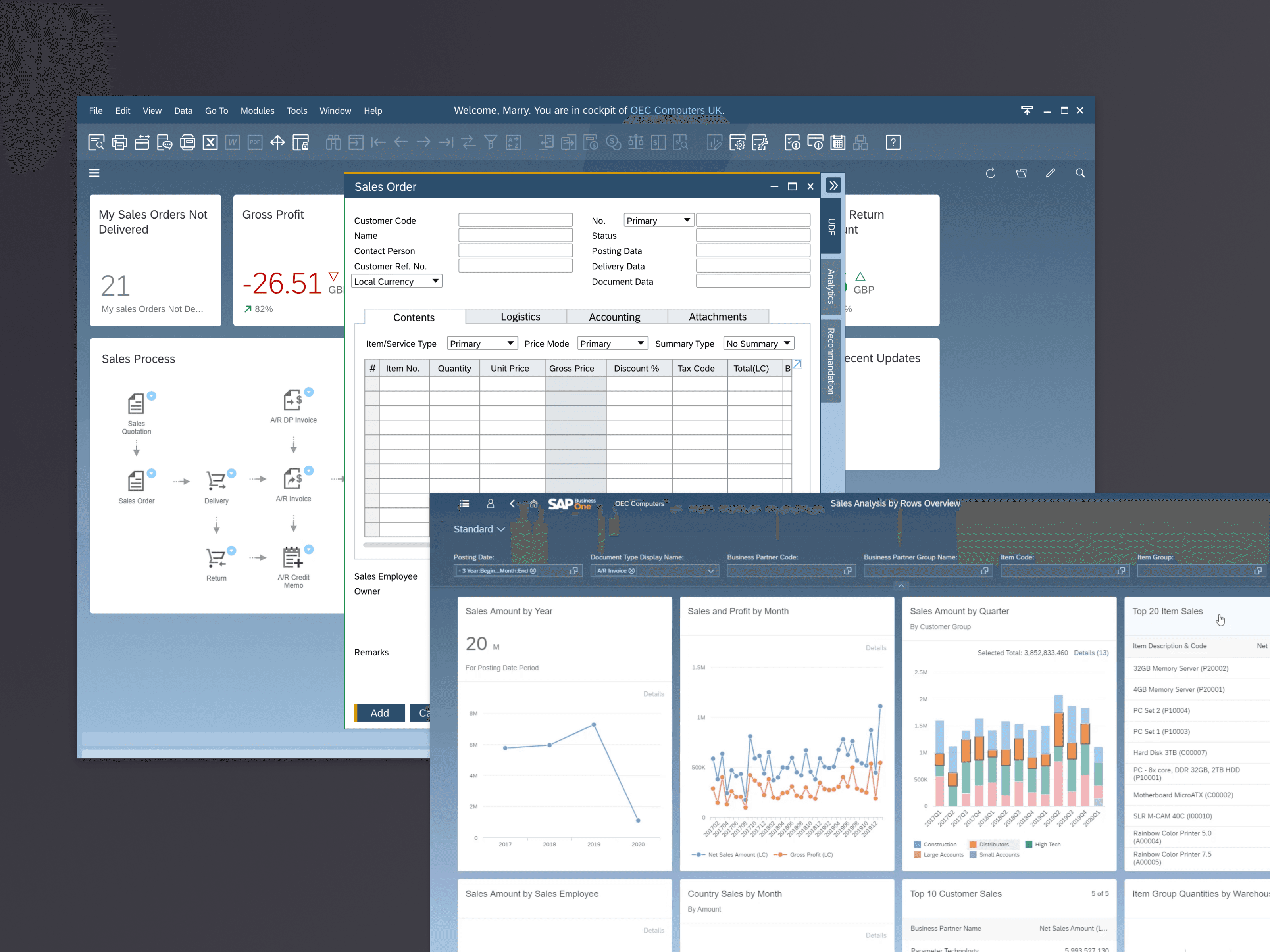
SAP Business One 9.0 - Legacy Experience
It looked simple but hard to do. SAP B1 was an SME ERP system structured by modules that we called old school, SAP Fiori was a role-based and task-orientated system that was aimed at large enterprise solutions.
Follow Fiori would change the B1 product structure we didn’t know the existing customers could accept this. So we started with research.
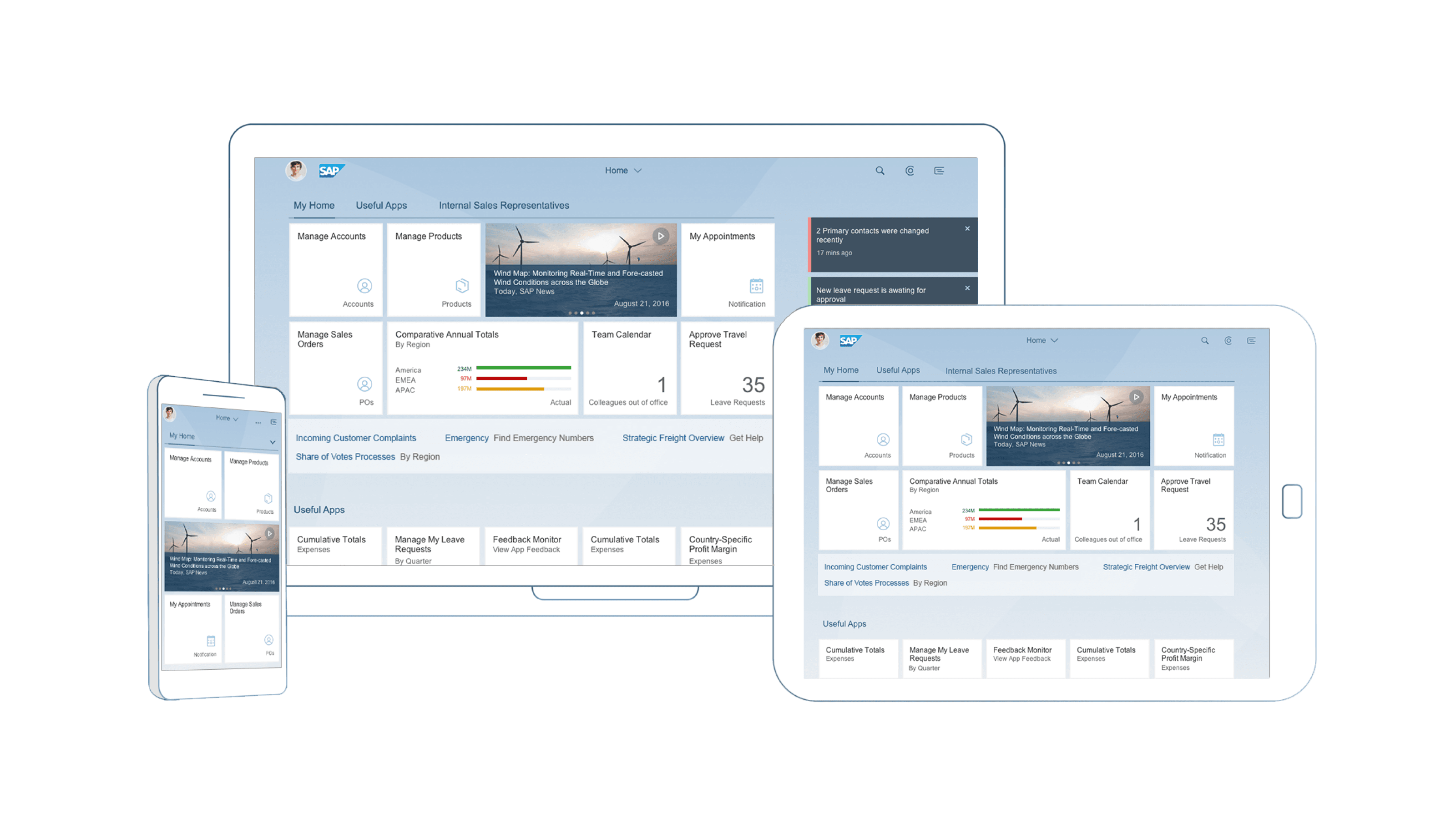
SAP Fiori Design Language
Explore Phase
We worked with the product team to come up with a prototype on sales order management by using Fiori design. To verify user acceptance of the new solution, we went to the US B1 conference with the research team, conduct on-site testing and survey. Besides, we visited several local partners and made interviews on topics such as new solutions and future expectations. Six groups of target customers were recruited for user testing and some detailed feedback was collected.
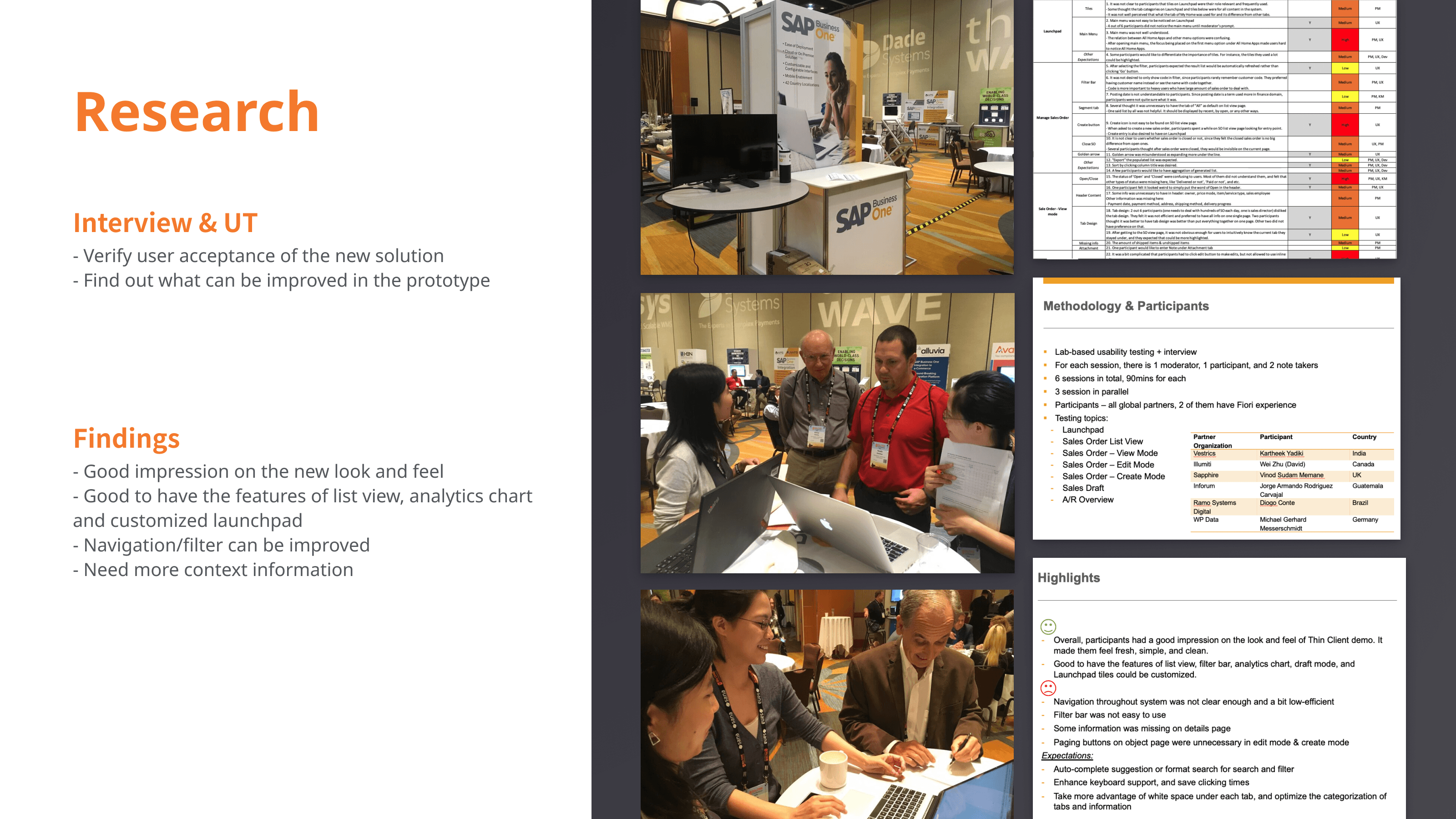
On-site testing on B1 conference
Meanwhile, I conduct competitor research. I chose Salesforce, Microsoft Dynamics 365, and a Chinese design system, compared with Fiori design. Tried to figure out how to modernize UI. I went through the systems and compared them based on information architecture, usability, design highlights, and system performance.
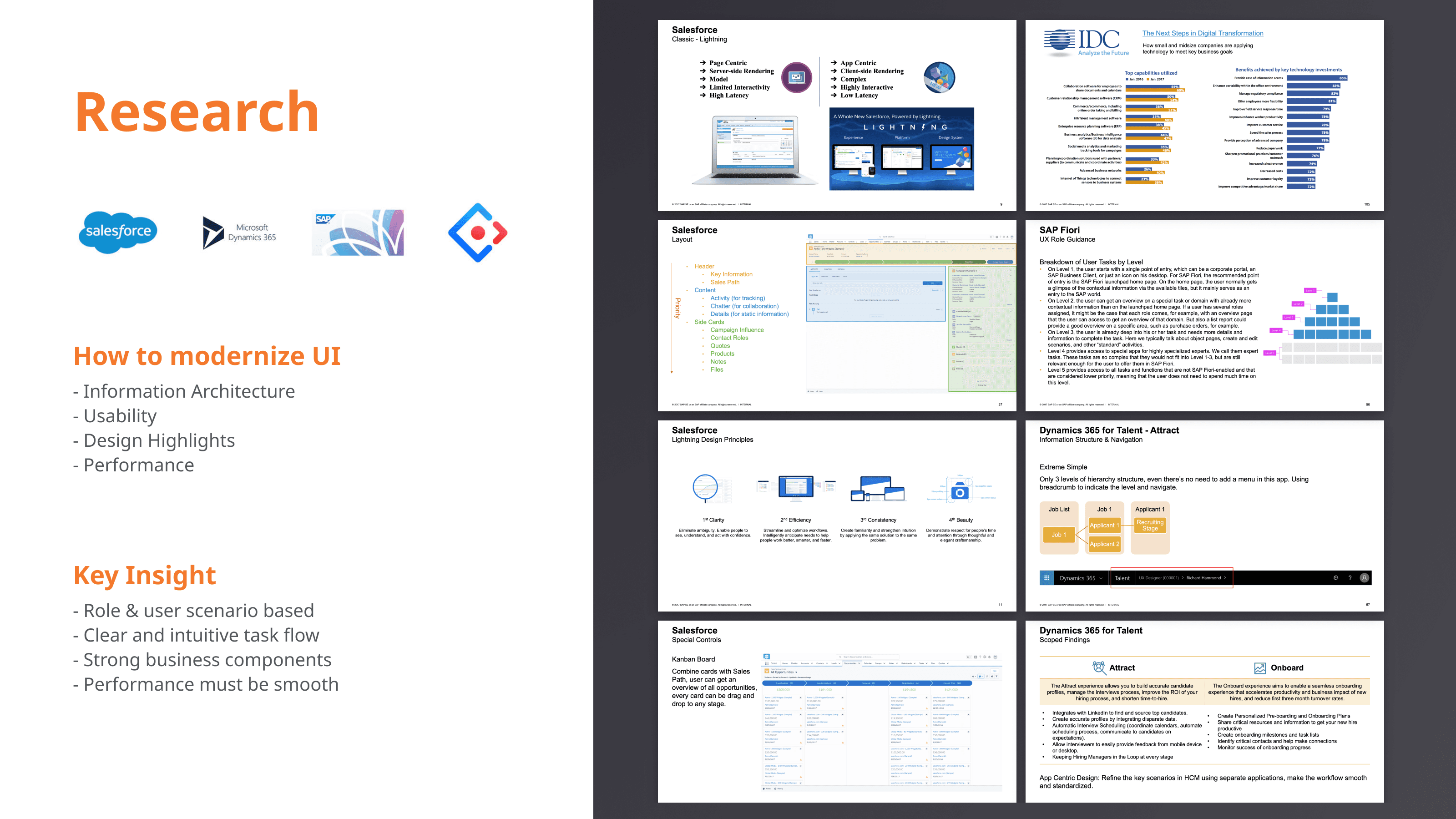
Competitor Research
On the other hand, we still needed to explore another possibility if we build a new system from zero without following Fiori. In the sum of the feedback from interviews and insights from competitor research. I made a concept to close the gaps I found.
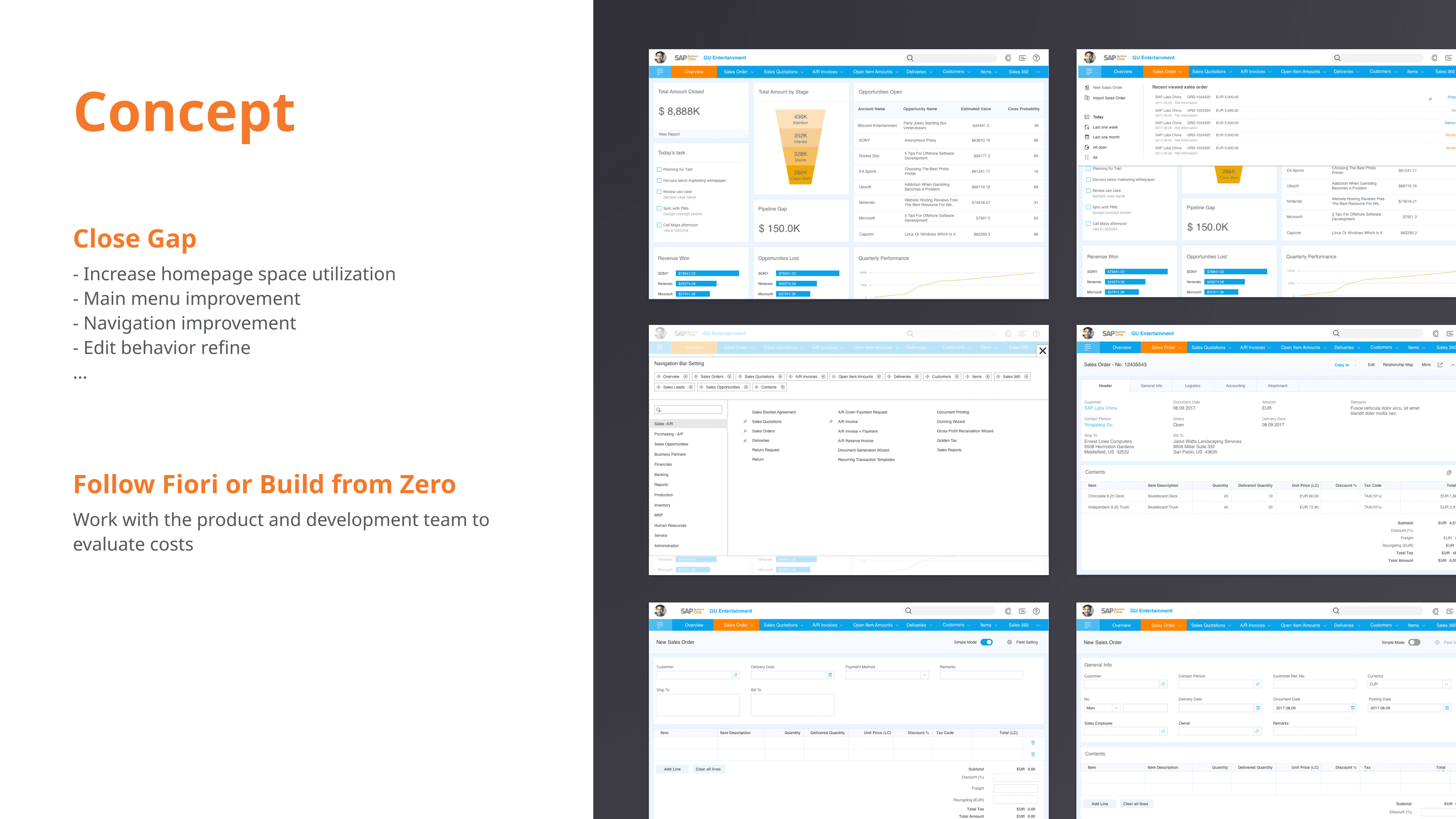
Concept Design
Shape the Strategy
After that, the product team, development team, design team, and management level worked together to estimate different solutions and shape the product strategy. We finalized our solutions based on different platforms.
For the desktop client which was the old school version, we didn’t change the structure just transformed the UI by a new theme, made some usability improvement and function iteration.
We built a new web client through redesign the sales order module and modified SAP Fiori design system to fit our situation.
These 2 clients would be packaged in the SAP Business One 10.0 version

Design Strategy
Design Challenge
Then came the long execution phase. In this phase, there was a big challenge in following Fiori design system. As we know, SAP was a German company, their documents were generally full of details. The design system was not an exception with high learning effort. It had 3 million words in total, and if you spend 2 hours reading it each day, it would take you 4 months to finish if English was your native language. Meanwhile, some interactions and structures were not fit B1 that we need to modify, so I lead a group to build a new wiki with the best practice based on SAP Fiori design, to help other designers better followed the guideline. We tried to narrow down the options through a business scenario example when the designer chose a template or component and gave them a clear graphic instead of a text guideline.
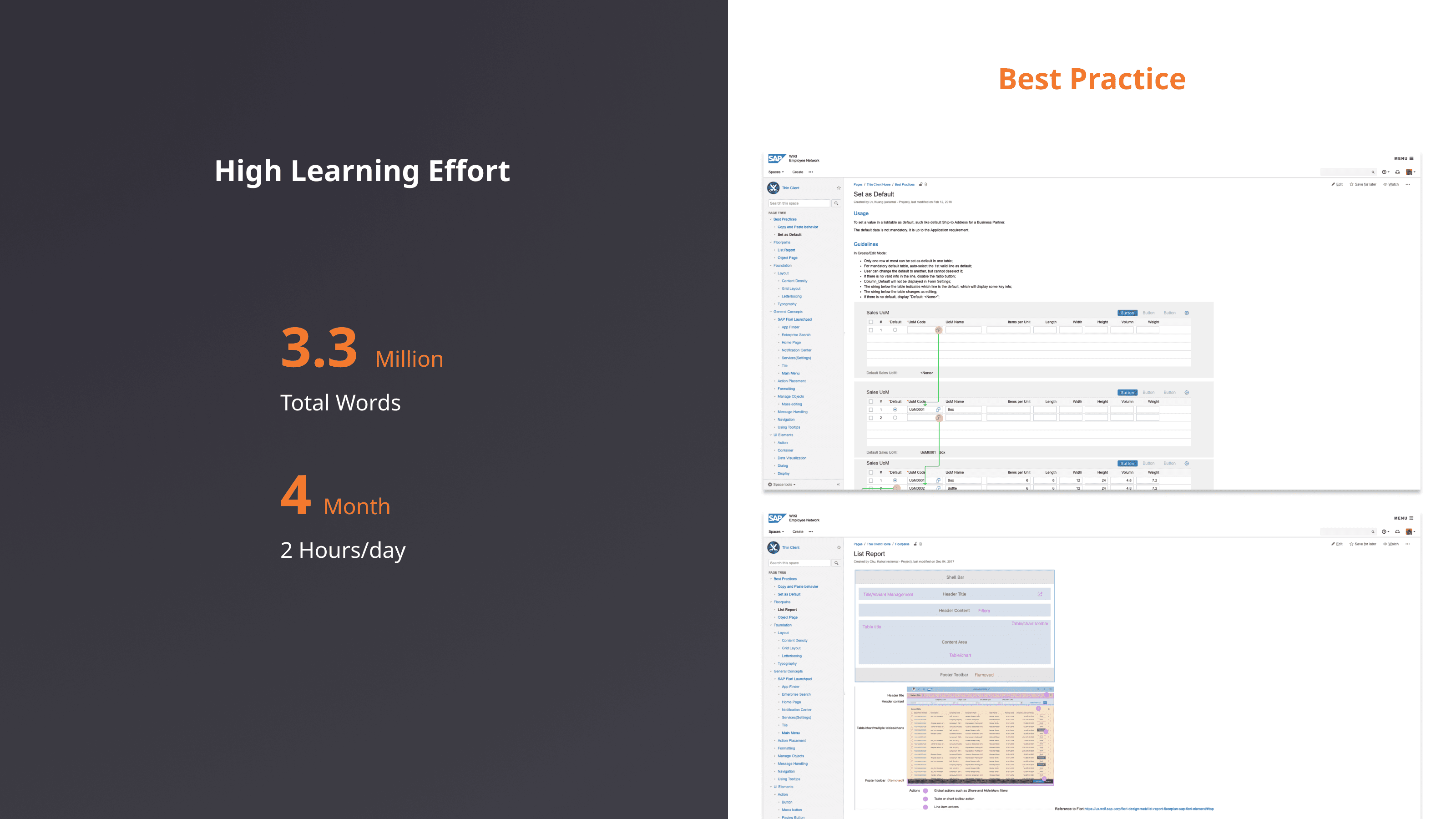
The Best Practice of Adoption SAP Fiori Design System
On the other hand, mentor junior designers were also a big challenge. ERP was a holistic and complex system. Domain knowledge was a big barrier for most designers. I tried to consolidate my expertise and mentor them with this simple model.
In general, there were 3 kinds of data in the system. Master data referred to business entities, transactional data referred to business events, analytical data referred to business performance. Master data was applied to transactional data, the system was driven by updating the transactional data.
It was a very simple and elegant model which disclosed the principle of the ERP system. Each designer could understand how the system worked through this model and better understand the input from the product team.
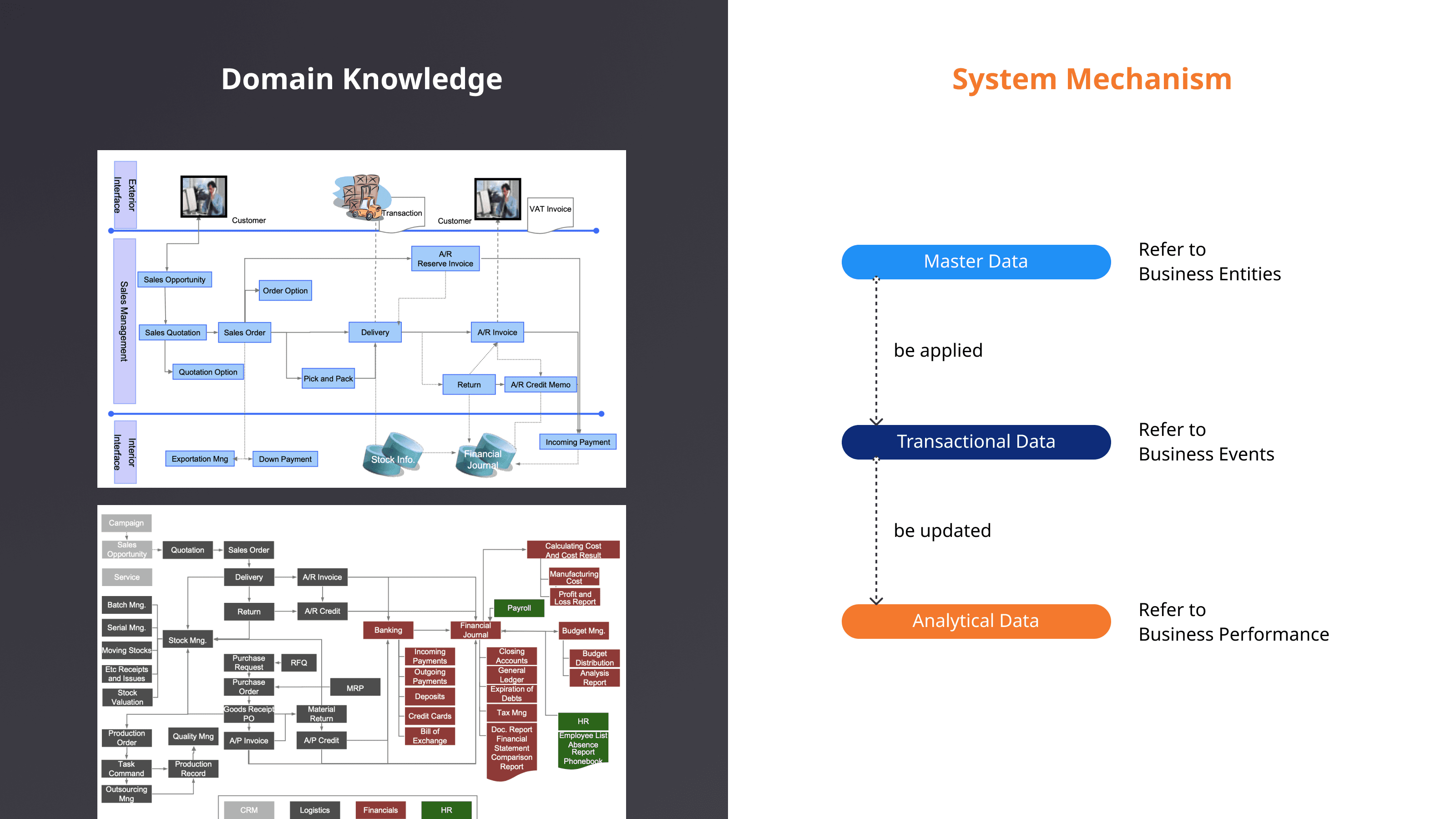
How to Educate Junior Designers
Launch
The SAP business one version 10.0 was launched in Nov 2019. For the desktop, we change the theme to keep the same appearance as the Web Client. We also made some usability improvements and function enhancements.

B1 10.0 Desktop Client
We delivered the new web client with a totally new experience based on the Fiori design. The launchpad was the start point for each user. And the user could smoothly switch the work area, me area, and notification area.
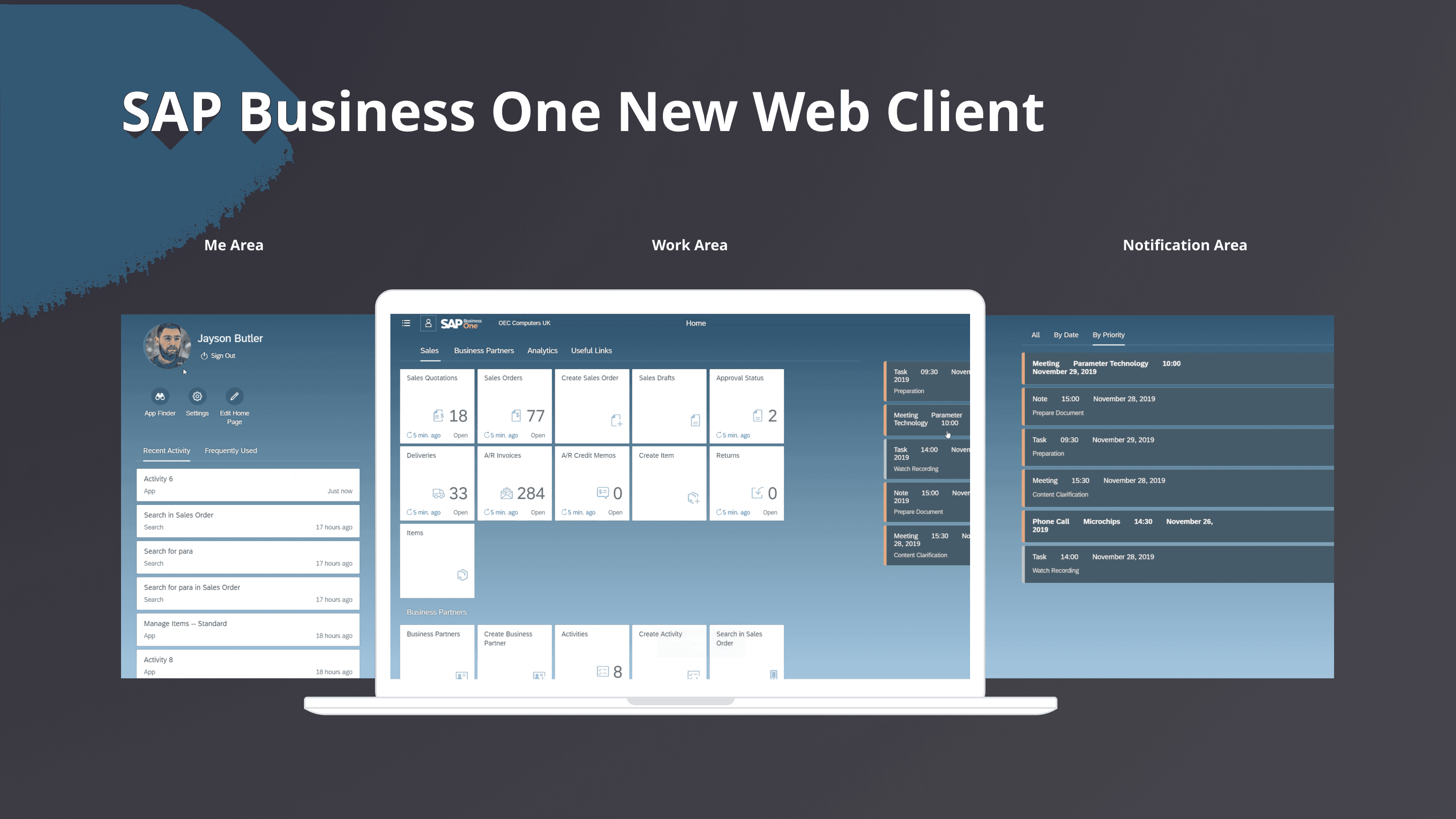
B1 10.0 Web Client
Design Highlight
The view setting and variant management were very powerful, it shocked users because of the great usability. It could help users easily save a list view by customizing column, sort, filter, and group. Users could get the query result under a customized view with one click.

View Setting & Variant Management
The overview page was the new analysis feature that salespeople liked best. Users could config the style, layout, and data source in run time. It was appealing and easy to access on mobile.
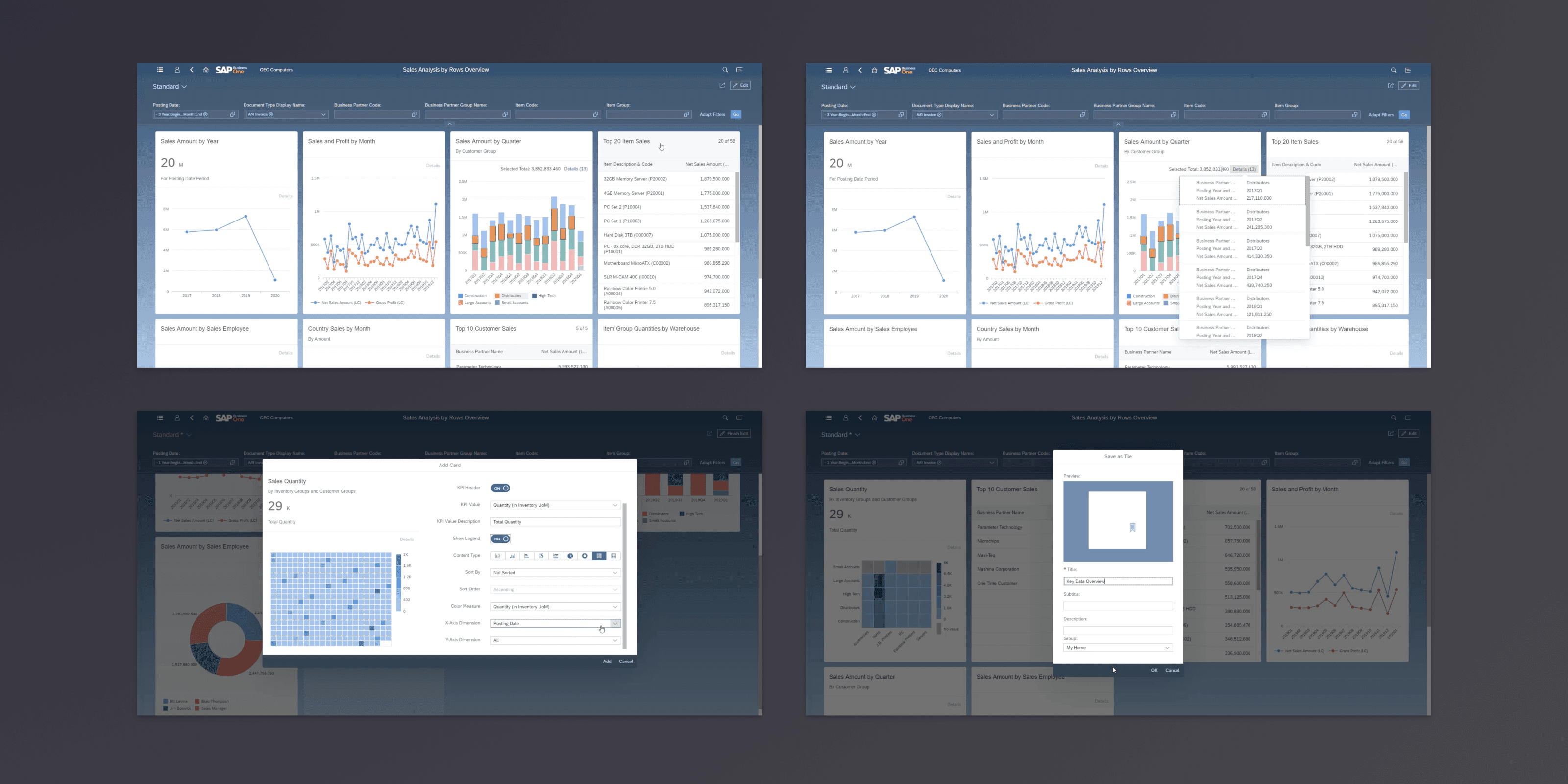
Overview Page and Configuration
Accomplishment
Overall, I explored a workable design solution within a large-scale project, transformed the legacy system into a modernized client. We got very affirmative feedback from partners and customers after the new version release. One of the 3rd-party partners said it’s the most innovative & comprehensive distribution solution for SAP Business One.

Partner and Customer Feedback